
For agents
Your CRM, kept in the loop
Connect Follow Up Boss, or any CRM that can take a webhook, so a client's search criteria and showing notes land where you already work, not stuck in another app.
Follow Up Boss, connected in a minute
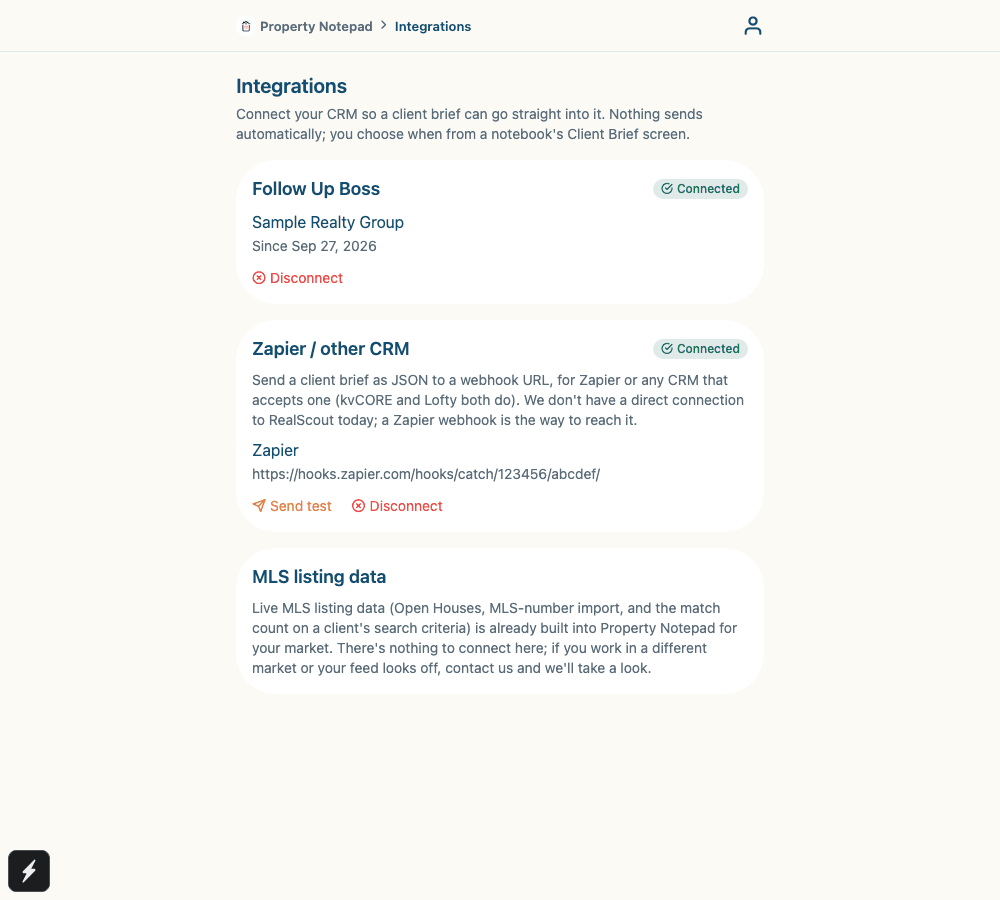
Paste your Follow Up Boss API key once, from Property Notepad's Integrations page. From then on, sending a client brief adds a note to their existing contact, so you never leave Follow Up Boss to see what a client learned on a showing.
- One Follow Up Boss note per property, with the showing's date and time, MLS #, a link back into the notebook, overall score, AI summary, ratings, notes, and voice transcripts
- An optional overview note too, with criteria, overall notes, and insights
- Tags the contact “Property Notepad” so it's easy to find
- Never creates a duplicate lead — every note appends to a contact you already have
- A generic webhook for Zapier, so kvCORE, Lofty, and most other CRMs can receive it too
- Live MLS listing data is already built in, nothing extra to connect
Any other CRM
Connect a webhook URL and Property Notepad posts the client brief as JSON. Point it at a Zapier catch hook and route it into kvCORE, Lofty, or most other CRMs from there.
RealScout
RealScout doesn't currently offer a public API for other apps to write data into it. A Zapier webhook is the way to reach it today; we'll add a direct connection if that changes.
MLS listing data
Live MLS data is already part of Property Notepad in supported markets: real open houses in the Open House Planner, MLS-number import straight into a notebook, and a live count of matching listings as you adjust a client's search criteria. There's nothing to connect; it's on by default.
Frequently asked questions
Where do I find my Follow Up Boss API key?
In Follow Up Boss, go to Admin, then API, and copy the key listed there. It's tied to your own user. See our full guide for step-by-step instructions.
Will this create duplicate leads in my CRM?
No. Sending a client brief to Follow Up Boss looks up an existing contact by email and adds a note to them. It never creates a new lead — if no matching contact exists, Property Notepad tells you instead of guessing.
Do you integrate with RealScout?
Not directly. RealScout doesn't currently offer a public API for other apps to write data into it. Connect a Zapier webhook instead, and route it from there.
Do I need to set up MLS access separately?
No. Live MLS listing data, for Open Houses, MLS-number import, and the match count on a client's search criteria, is already built into Property Notepad for supported markets. There's nothing to connect.
Is this available on the phone app?
Connecting a CRM and sending a brief are both done from a computer, at propertynotepad.com. Everything else in Property Notepad works on the phone app as usual.
Ready to connect your CRM?
Sign in on the web and open Account, then Agent Tools, then Integrations.